|
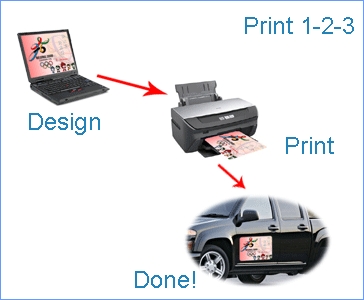
Print Instructions
We recommend that you print a draft copy on a blank sheet of paper before you
print on the MagnaSignTM
photo/vehicle sign
to make sure that you have chosen the right printer settings:
1. Follow printer instructions for loading legal size paper;
2. Load one sheet at a time; (For color laser printers, you might want to manually feed the
MagnaSignTM
photo/vehicle sign
through the manual feeder);
3. Open the printer property window from the printer menu;
4. Select "Legal" for paper size in the printer property window;
5. Select "Thick Paper" or "Card Stock" for paper type in the printer
property window;
6. Select "Normal" for print quality;
7. Click "Print" to start printing.
*For inkjet printouts, please avoid rain or heavy fog for at least 48 hours.
*For more detailed
discussions, please see
FAQs.
Applying
MagnaSignTM Photo/Vehicle Sign onto the vehicle Surface
1. Clean up the surface of you vehicle's metal
body where you want to apply the sign;
2. Press the signs on gently and make
sure that all edges are in good contact with the vehicle.
3.
Avoid surfaces with sharp angles or curvatures.
*For more detailed discussions, please visit
FAQs.
|